How to read fault codes (DTCs) (Android phone / tablet)
GT Flasher can read the Diagnostic Trouble Codes (DTCs) stored by your car's ECU — the fault codes behind a check-engine light — and explain what each one means. Always read the fault codes before flashing or tuning: a car with an unresolved engine fault should be fixed first, not re-programmed.
Open the DTCs screen
Connect and identify your car first (see the logging guide for the connect and identification steps). On the Identification screen, tap the DTCs button. The screen reads the codes automatically as it opens.
- To read again, tap the refresh icon (top right).
- The trash icon (top right) clears codes — see Clearing codes below.
Read the codes
Each stored fault appears as a card with a warning icon, the code (e.g. P0030) and a short description. Tap a card to see the full explanation.
-
The list is grouped into labeled sections (Active, Pending, Sporadic) shown in that order; empty sections are omitted. Each section header shows the number of entries it contains. Entries that commanded the MIL (check-engine lamp) include a small "⚠ Lamp on" badge on the card. The warning icon is tinted by category (red/amber/muted).
-
If the portal/ODX returns no description for a code the app falls back to showing the generic SAE code (for example P0299) as the title.
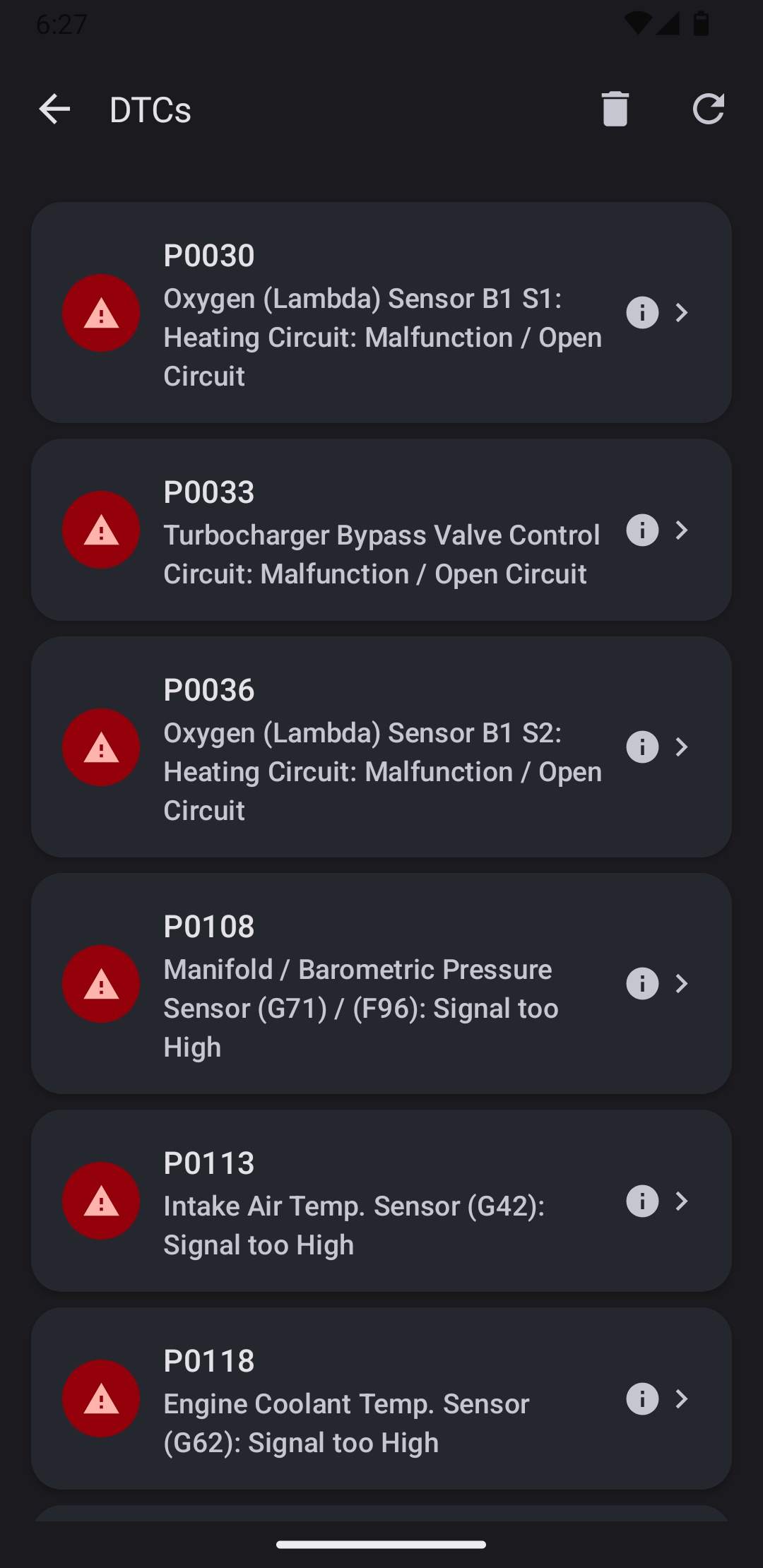
If there are none, you'll see "All Clear! No Diagnostic Trouble Codes Found" — good news, nothing is stored.
Understand a code
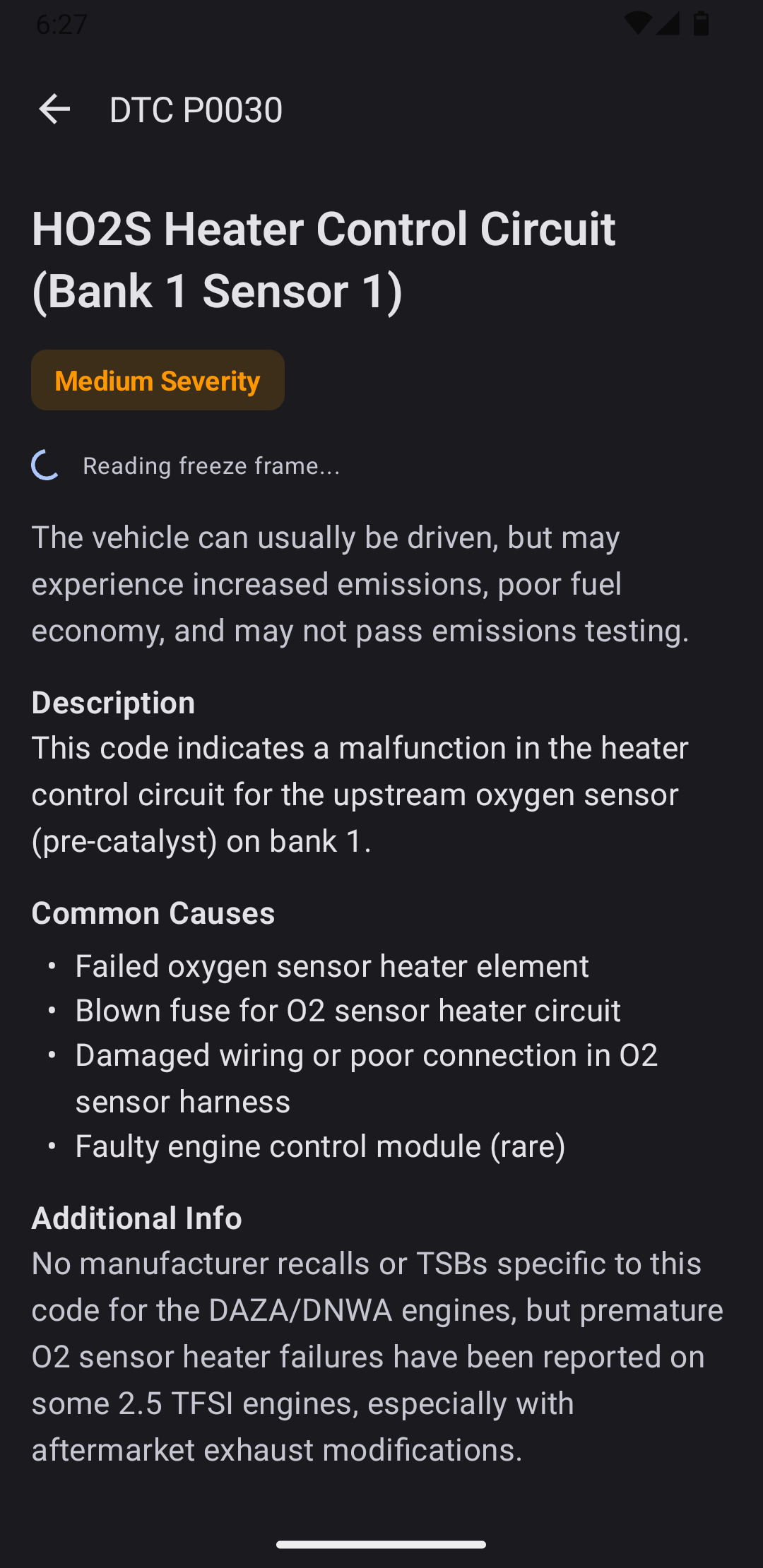
Tapping a code opens its detail page: a plain-language title, a severity badge (how serious it is and whether the car is safe to drive), a short summary, a Description, the Common Causes, and any Additional Info for your engine. The freeze-frame data (the conditions when the fault was recorded) loads in the background.
Clearing codes
The trash icon clears all stored codes after a confirmation ("Clear All Diagnostic Codes?" → Clear); on success you'll see "DTCs have been cleared successfully!" and the list re-reads. On some MG1 ECUs the app asks you to keep the ignition on and the engine off while it clears.
Clearing only erases the stored codes — it does not fix the underlying fault. If the cause is still present, the code will come back. Never clear codes just to flash over a real problem; diagnose and repair first.
Good practice before tuning
- Read the codes and resolve anything engine-related before flashing.
- Report codes you don't understand to your mechanic or to support (include your VIN) rather than clearing them blindly.
- A persistent engine fault can limit performance or cause further damage — don't tune a car that isn't healthy.